
Creating Entity-Relationship Diagrams (ERDs) for Dataverse
Keep track of your Dataverse data models with Entity-Relationship Diagrams (ERDs): Whether planning, optimizing, or presenting – ERDs create clarity and foster collaboration. We show you three methods for creating ERDs.
In our data-driven world, it's crucial to quickly understand and clearly convey complex data models. Entity-Relationship Diagrams (ERDs) provide invaluable assistance in this regard. They visualize the structure of a database, making the relationships between data visible.
What are Entity-Relationship Diagrams (ERDs)?
Entity-Relationship Diagrams offer a graphical overview of the structure of a data model. They show how tables (entities) are linked, what properties (attributes) they have, and how their relationships look.
- Entities: Tables, e.g., "Customer", "Product".
- Attributes: Properties of the entities, e.g., "Name", "Price", or "Creation Date".
- Relationships: Connections between entities, e.g., "Customers buy products" (1) or "Products belong to categories" (N).
An ERD allows you to capture the organization and interaction of data at a glance. This is particularly helpful when planning new systems, optimizing existing structures, or coordinating between business and IT teams. Especially in projects with Microsoft Dataverse, ERDs are a central component of successful data modeling.
Why are ERDs important?
Create clarity: Complex data models become more understandable through visualization.
Promote collaboration: ERDs are a common reference tool for developers, business users, and customers.
Facilitate planning: A visual overview allows for early detection of errors and identification of improvement opportunities.
How to create ERDs? Three methods compared
1. Manual creation in Visio
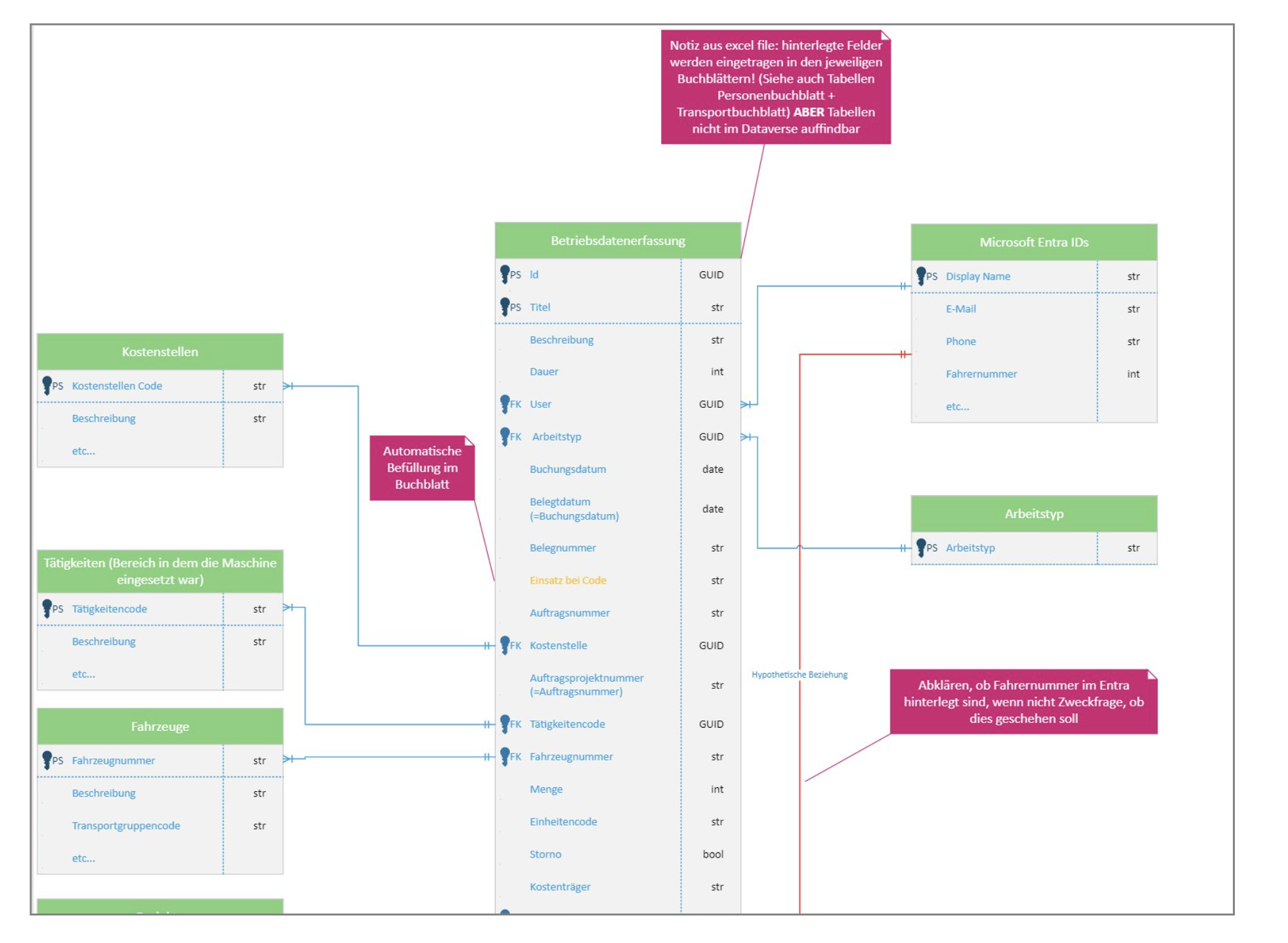
Microsoft Visio is a proven tool for the manual creation of ERDs. Particularly for new data models, Visio offers maximum flexibility.
How it works:
- Open a new diagram in Visio.
- Add tables as shapes and name them.
- Connect the tables with lines to represent relationships (e.g., 1).
- Optimize the layout to enhance readability.
Advantages:
- Perfect for creating models without existing data
- Maximum creative freedom
- Ideal format for sharing with clients
Disadvantages:
- Time-consuming
- Prone to errors with manual input
2. Creation with Power BI
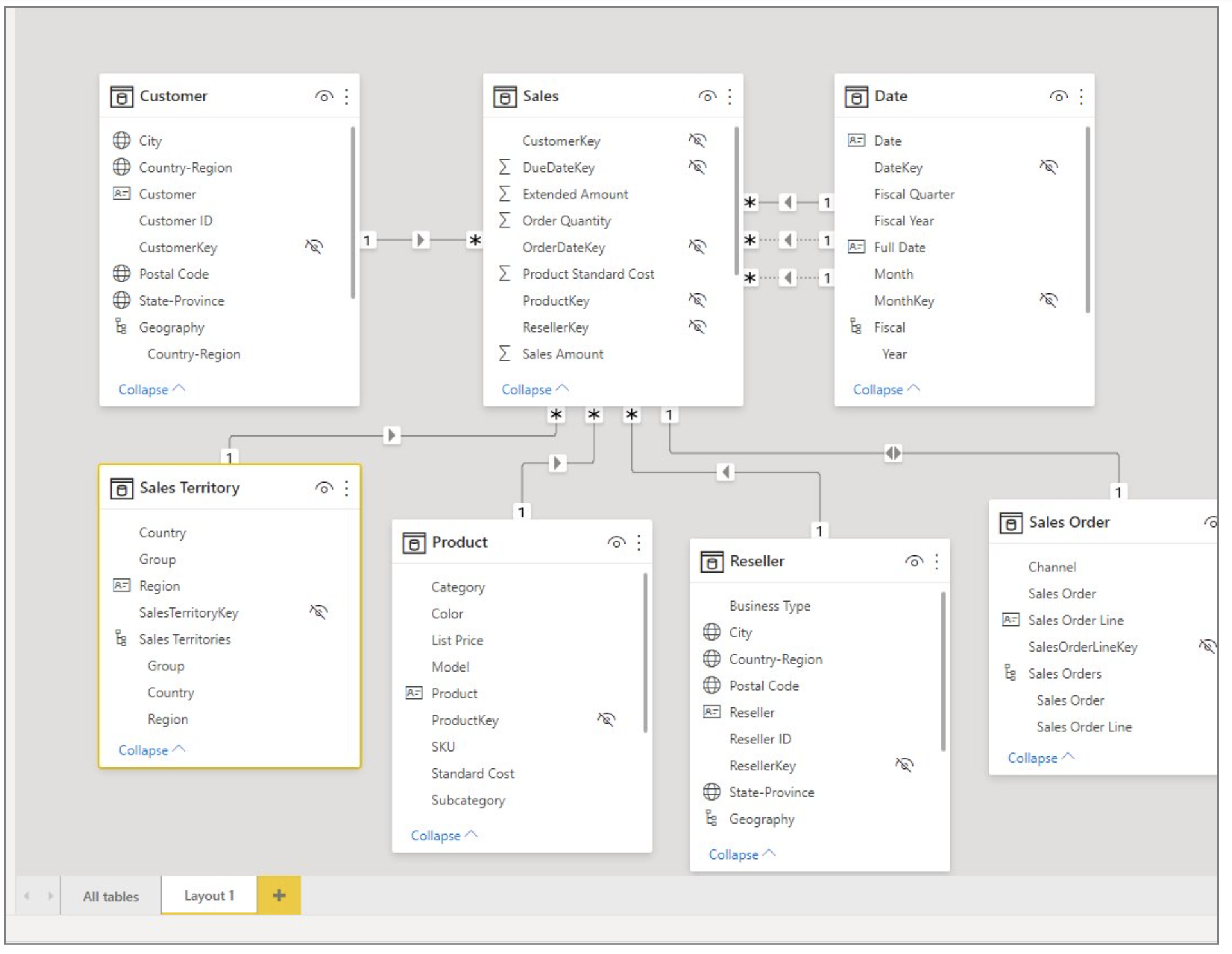
Power BI is primarily known for data analysis but also enables the visualization of table relationships.
How it works:
- Import your Dataverse data into Power BI.
- Switch to the "Relationships" area.
- Visualize and edit the relationships.
Advantages:
- Direct integration into the Microsoft ecosystem
- Ability to combine diagrams and reports
Disadvantages:
- Requires an existing data model
- No direct export function to Visio.
3. Creation with the XrmToolBox
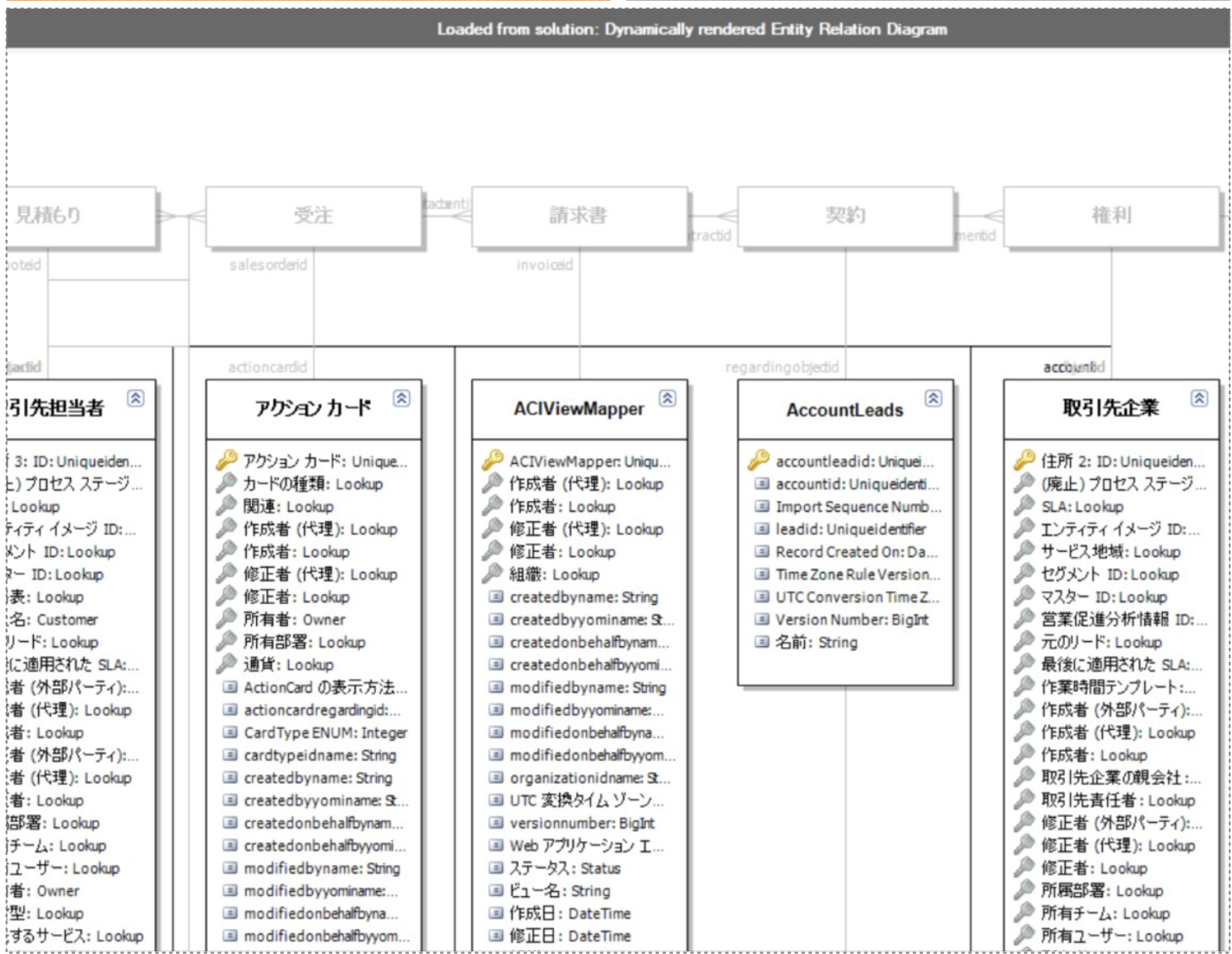
The XrmToolBox is a specialized tool for Dataverse and Dynamics 365. With plugins like the "Entity Relation Diagram Creator", ERDs can be quickly generated.
How it works:
- Download the XrmToolBox and connect it to Dataverse.
- Select the "Entity Relation Diagram Creator" plugin.
- Generate the ERD and export it to Visio.
Advantages:
- Quick creation for existing models
- Direct export to Visio
Disadvantages:
- Requires knowledge of the XrmToolBox
- Diagram often needs post-processing
Our Favorite: ERD Creation with Visio
Microsoft Visio uniquely combines flexibility and professionalism. Every detail, whether layout, color scheme, or additional notes, can be individually customized, ensuring the diagrams are perfectly tailored to your requirements. Moreover, Visio offers a consistent, professional format that impresses not only internally but also leaves a lasting impression in client presentations. Thanks to the easy updating and expansion of files, Visio is also ideal for projects that evolve dynamically.
ERDs as the Key to Data Model Transparency
Entity-Relationship Diagrams are indispensable for visualizing and efficiently communicating complex data models in Dataverse. While Power BI and the XrmToolBox offer useful alternatives, Microsoft Visio remains the ideal tool for creating professional ERDs.
With a structured approach and the right tools, not only can internal data models be better understood, but you can also convince customers and stakeholders of your concepts.
Try it out and transform your data models into meaningful visualizations!